

I’ve been running Raspberry Pi as a home server for a long time and the most recent version – Pi 5 has been quite an amazing computer for what it was. However, my home lab urges have become stronger and I’ve felt the need to step my game up…
If the space and cost was not a major limiting factor, I’d be already running a rack with plenty of useless and overpowered hardware. But the space is limited and the rack-mounted hardware isn’t known for being awfully small or quiet. The latter would also drive my Wife crazy. The cost of electricity is also a thing and I’ve already been driving the bill up substantially with all the IT toys.
So, instead of a 1U server with powerful multicore CPU, redundant power supply and massive JBOD attached to it with some fancy stuff I didn’t know existed, I had to look for a more suitable solution. Something that would be more flexible and powerful than the little Raspberry Pi, but also power-efficient.
Fortunately, one can always count on the reliable YouTubers. They all somehow (but not without a reason) have decided to gang up on a category of computers that would seem to be more reasonable than a screaming IT workhorse – a surprising challenger for a Raspberry Pi – Ultra Small Form Factor PC. Lenovo calls it “Tiny”, HP – “Micro” and Dell – “Mini”. They all have one thing in common. They pack a surprisingly punchy hardware and decent expandability in a small 1 liter case.
Enter Lenovo!
After months of careful consideration, I’ve finally come to a conclusion it’s going to be a great idea to get some new more capable hardware. My choice was a Lenovo M920Q Tiny with quite a respectable specs:
- A 6 core 8th gen (Coffee Lake) Intel Core i5-8500T
- 16G of DDR4 RAM
- 256G SK-Hynix M.2 NVMe drive
I’ve also decided to immediately upgrade the memory and get additional 16G of RAM to get the things going.
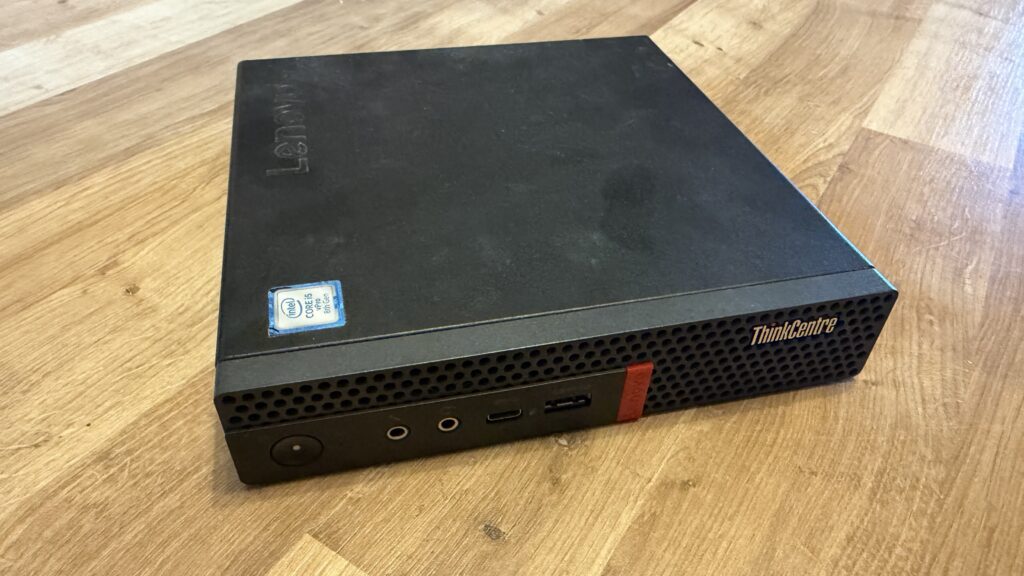
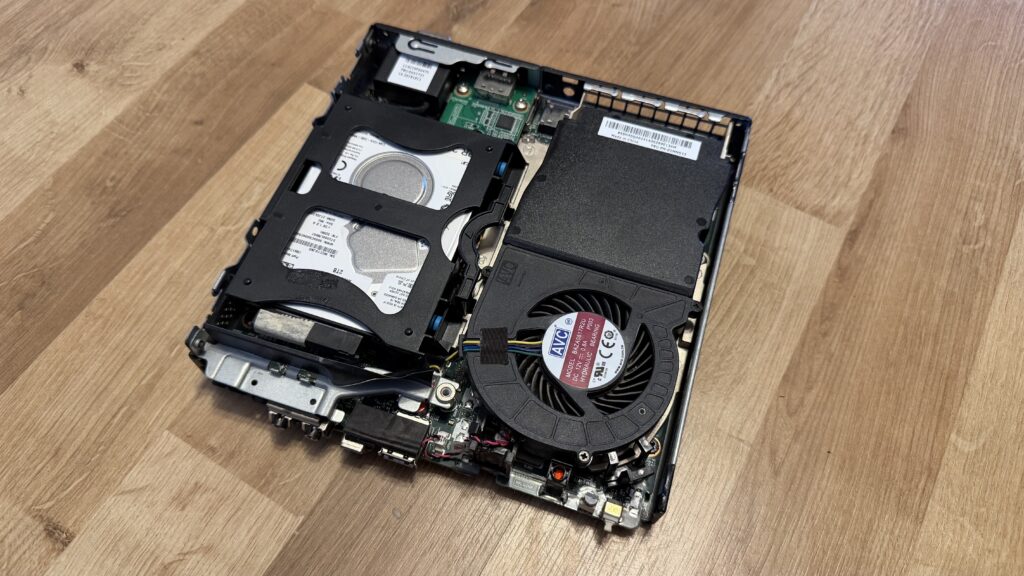
The computer itself is indeed very small, but it comes with a cost of a substantial power brick. There is still some expandability in it. There is space for either 2,5” drive sled or (with readily available riser card) a low profile PCI-E expansion card. That can take a form of additional network card, disk controller – you name it.
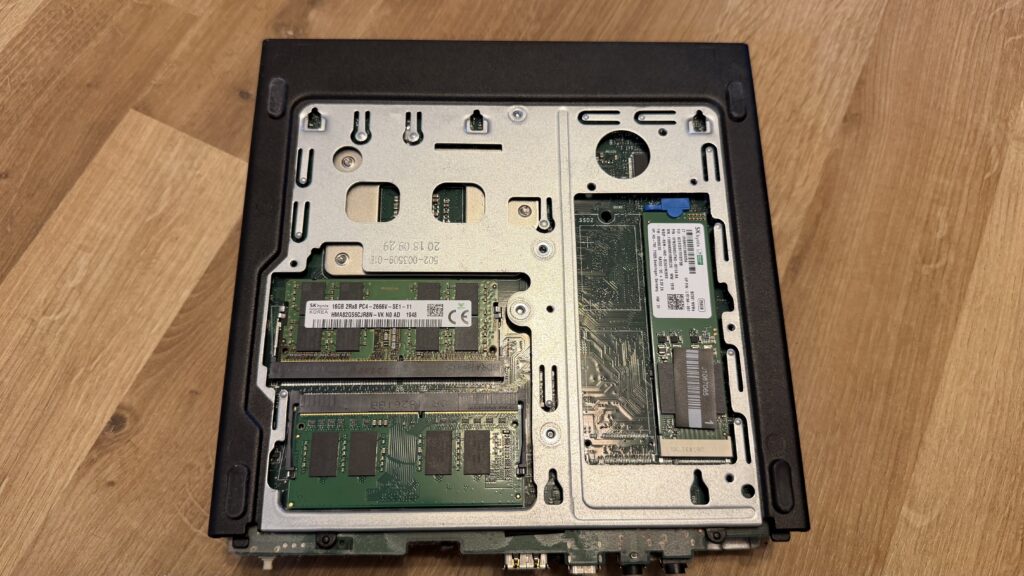
It’s time to learn something new, again…
Since the new “server” is an x86_64 PC, I’ve decided to take advantage of this and do what was impossible on the Pi. The first step I’ve taken was to install Proxmox Virtual Environment – a virtualization platform allowing for deployment and management of virtual machines and containers. Instead of running outdated and presumably abandoned CasaOS, I could now run the important stuff, like Home Assistant as a separate operating system and take the full advantage of it’s rich features. At least that was the plan.
I’ve had some (decades now, on and off) experience with various IT applications, so it wasn’t really a rocket science. It’s still only Debian with some add-ons. I’ve encountered more issues with finding the suitable media to boot the installer from than with the setup itself.
I’ve immediately started deploying desired software, virtual machines like Home Assistant OS or TrueNAS but also, through the magic of community-scripts.org, a set of LXC (Docker-like) containers like AdGuard, JellyFin, Nginx Proxy Manager, the entire “Arr” suite for those Linux ISOs and with the extra memory to spare, even some new bonus stuff.
Most of the things I’ve decided to configure from scratch, except the Home Assistant. To my surprise after importing the backup from the original instance, I could simply move the USB Zigbee dongle and all the things just came to life like nothing has happened. What a refreshing experience, with all the issues I previously had with it.
And the best part is, it’s more capable while using only a bit more power. What a win!
It’s never enough, though…
It sure isn’t. For example, I’d like to eat the cake and have the cake. As mentioned before, the little Lenovo does have a full PCI-e port, but it’s only available if you remove the 2,5” drive sled – a thing I’d like to keep for now. With a readily available special adapter you can put any one slot low profile card in, like a discrete GPU, faster networking or SAS controller. The possibilities are maybe not endless, but at least there is plenty to tinker with.
With more of those tiny PCs, I’d like to run an additional Proxmox VE and cluster them together, dabble with a local LLM on low power GPU and create a NAS, so I can finally do a local backup of my data.
Unfortunate thing is, due to the AI shitstorm, even the used and outdated hardware is getting more and more expensive, especially RAM, graphics cards and storage.
Other minor improvements and additions to our smart home…
In the smart home department not much has happened. We’ve replaced a standing lamp in our living room with a new model from IKEA – SJÖMAKT. It takes two E14 bulbs and it was a natural choice to go with IKEA bulbs – KAJPLATS.
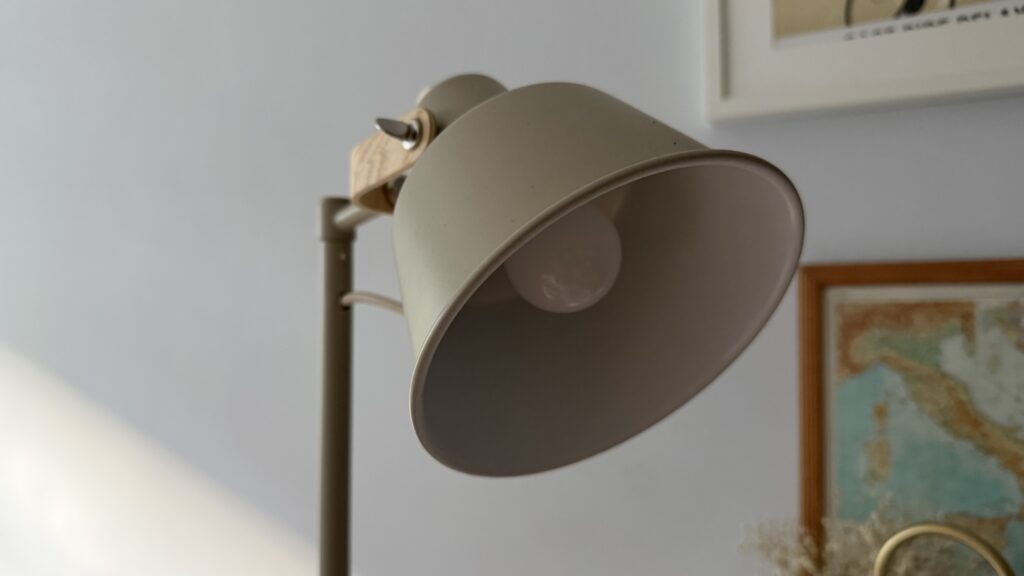
I’ve decided to give it Matter over Thread another go and this time, while connected to the same VLAN as the border router (Apple TV), both bulbs have connected flawlessly and it was then a breeze to share them to the Home Assistant.
We’ve also got GRILLPLATS plug, configured with Matter over Thread as well, to replace an annoying Tapo P110M. I have a bad history with TP-Link devices and this one isn’t really helping. It’s been once again going haywire on reporting impossible power usage, dominating energy graphs and causing general confusion.
Steady as she goes…
That’s about it for this update. I know there hasn’t been a lot of new additions to the smart home environment itself, as most of the focus was on the server part of it. That was an important update that gives us a future of more reliability and flexibility. After all, as much as I like Raspberry Pi – good old x86_64 has more software and hardware capabilities.




Leave a Reply